Blackmagic Design DaVinci Resolve Micro Color Panel (DE)
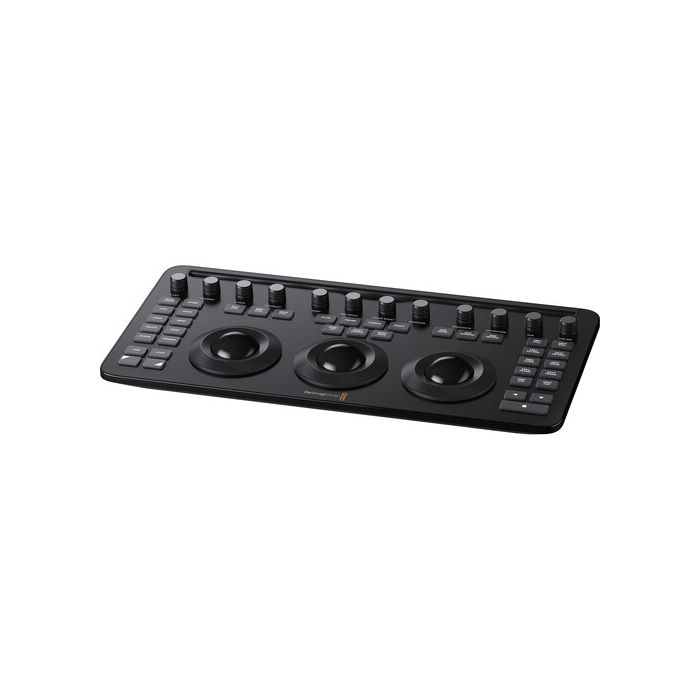
by Blackmagic DesignDesigned to work in tandem with your Apple iPad Pro, the DaVinci Resolve Micro Color Panel from Blackmagic Design provides the same level of professional color control as other panels but with a beginner-friendly interface.
- Plaćanje na rate Možete plaćati na rate koristeći Visa, Visa Premium, Maestro, MasterCard, Diners kreditne kartice. Za više detalja, kliknite na link sa informacijama o metodama plaćanja.
- Brza dostava Za sve porudžbine u Srbiji primljene do 14:00 časova radnog dana, isporuka će biti izvršena narednog radnog dana.
- Međunarodna kupovina
Sardžaj pakovanja
- Blackmagic Design DaVinci Resolve Micro Color Panel (DE)
Designed to work in tandem with your Apple iPad Pro, the DaVinci Resolve Micro Color Panel from Blackmagic Design provides the same level of professional color control as other panels but with a beginner-friendly interface. The panel provides more color and a faster workflow to DaVinci Resolve Studio software than working just with a keyboard and mouse. It consists of three high-resolution trackballs, 12 control knobs, and several buttons to adjust parameters like Y lift, Y gamma, Y gain, and contrast.
- For DaVinci Resolve Software
- 3 High-Resolution Trackballs
- Precision Machined Control Knobs
- Navigation and Transport Keys
- Connects via Bluetooth or USB-C
- Mounting Slot for iPad Pro
- Internal Battery
The controls of the panel are in similar places as the controls of the advanced versions. You can even adjust the power window shape, size, and position, softness, or resize the input image. The Micro Color Panel is not much larger than a standard keyboard and features a slot to mount your iPad Pro and use the tablet as your software display. Connect to your iPad or personal computer via Bluetooth or USB-C connection. The panel runs on an internal battery or USB-C power.
Primary Adjustment Controls
Control knobs are grouped into four sets of three knobs.
Luminance
- Y Lift control: Adjust the contrast of the image in the darker areas, specifically in the Y (luminance) channel only. This adjustment allows changing the black point without changing saturation.
- Y Gamma control: Adjust the contrast of the image in the mid-tone areas, specifically in the Y (luminance) channel only. This control helps add depth and extra vibrancy to shots.
- Y Gain control: Adjust the contrast of the image in the highlight areas, specifically in the Y (luminance) channel only. This adjustment allows you to change the highlights without changing saturation.
Contrast
- Contrast Control: Increase contrast to make the blacks darker and the whites brighter, or decrease contrast to do the opposite.
- Pivot: Change the center of tonality about which dark and bright parts of the image are stretched or narrowed during a contrast adjustment.
- Mid-Tone Detail: Affect the contrast of regions of the image with high edge detail to increase or decrease the perception of image sharpness and definition. Often used for softening facial features, making it popular for beauty shots.
Detail
- Color Boost Control: Raise the saturation in regions of the image with low saturation while leaving properly saturated areas alone. Also known as a vibrance operation, this is useful for adding color without oversaturating the image.
- Shadow Control: Selectively lighten or darken shadow detail without affecting your image's mid-tones.
- Highlight Control: Enable retrieving blown-out highlight detail in high dynamic range media by lowering this parameter. This allows you to achieve a smooth blend between the retrieved highlights and unadjusted mid-tones for a natural-looking image.
Saturation
- Increases or decreases overall image saturation. You can turn your color image into a grayscale image with this control.
- Hue Control: Rotate all hues of the image around 360° of the color wheel. The default setting is 50, which retains the original distribution of hues.
- Luminance Mix Control: Control the balance between the YRGB adjustments and Y-only adjustments made using the Y channel lift, gamma, and gain controls.
| Controls | 12x Dial |
| 3x Trackball | |
| Display | No |
| OS Compatibility | iPadOS |
| Inputs / Outputs | |
| USB I/O | 1x USB-C Female Input |
| Power | |
| Power Source | Battery |
| Environmental | |
| Operating Temperature | 32 to 104°F / 0 to 40°C |
| Storage Temperature | -4 to 140°F / -20 to 60°C |
| Operating Humidity | 0 to 90% |
| Physical | |
| Dimensions | 14.33 x 7.18 x 1.89" / 36.4 x 18.24 x 4.8 cm |
| Weight | 2.6 lb / 1.2 kg |
- -10%Novo
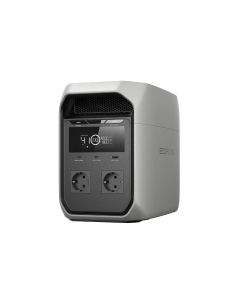 EcoFlow Delta 3 CLASSICRegular Price 67.830,00 RSD Special Price 61.047,00 RSD 50.872,50 RSD
 - -16%Novo
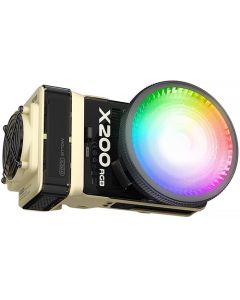 Zhiyun Molus X200RGB COB Light ComboRegular Price 94.054,00 RSD Special Price 79.005,25 RSD 65.837,71 RSD
 - -16%Novo
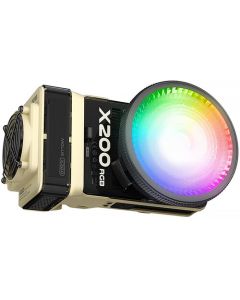 Zhiyun Molus X200RGB COB Light StandardRegular Price 78.610,00 RSD Special Price 66.032,25 RSD 55.026,87 RSD
 - -16%Novo
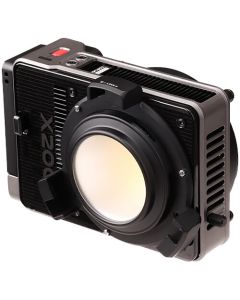 Zhiyun Molus X200 COB Light ComboRegular Price 86.332,00 RSD Special Price 72.518,75 RSD 60.432,29 RSD
 - -17%Novo
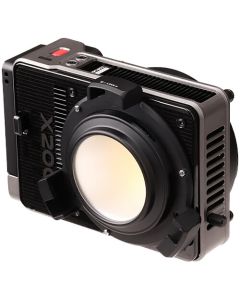 Zhiyun Molus X200 COB Light StandardRegular Price 63.166,00 RSD Special Price 52.427,75 RSD 43.689,79 RSD
 - Novo